Select the model you want to generate your image with.
Free Seedream 5.0 Lite: Intelligent AI Image Creation
Experience Seedream 5.0 Lite to generate and edit images with structured reasoning, layout precision, and advanced multimodal understanding.

Your Generated Images
ByteDance Seedream 5.0 Lite: Advancing Beyond Seedream 4.0 in Understanding and Reasoning
ByteDance introduces Seedream 5.0 Lite as its latest intelligent image creation model, built upon the foundation established by Seedream 4.0. While Seedream 4.0 unified image generation with early reasoning capabilities, Seedream 5.0 Lite delivers comprehensive improvements in understanding, reasoning, and generation. The upgrade shifts the model from executing instructions to interpreting intent—positioning it as a more structured, professional visual creative assistant for text to image, image to image, and advanced image editing workflows.
Improved understanding and generation
Seedream 5.0 Lite adopts a unified multimodal architecture that significantly strengthens cross-modal reasoning. Compared to Seedream 4.0, it captures key visual signals from reference images more accurately and interprets ambiguous instructions with stronger intent alignment. Improvements are especially visible in subject consistency, multi-element composition control, and text-image alignment across complex scenes.
Enhanced world knowledge structure
Building on the reasoning foundation introduced in Seedream 4.0, Seedream 5.0 Lite integrates a more structured and expansive world knowledge system across both technical and humanities domains. Generated visuals follow physical logic more reliably and demonstrate improved correctness in diagrammatic and informational tasks. This enhancement is particularly impactful for information visualization, educational graphics, and structured design scenarios.
Real-time search extends knowledge limits
Seedream 5.0 Lite introduces optional real-time search enhancement to expand beyond static training knowledge. When enabled, the model can incorporate up-to-date contextual information into generation, making it suitable for time-sensitive content such as current-event posters or real-time data visuals. Compared to Seedream 4.0, this capability improves responsiveness while still allowing users to disable search for stable, controlled outputs.
Advanced Capabilities of ByteDance Seedream 5.0 Lite for Intelligent Visual Creation
Building upon the reasoning foundation introduced in Seedream 4.0, ByteDance Seedream 5.0 Lite expands multimodal alignment, structural consistency, and editing controllability. The following key capabilities define how the Seedream model family evolves into a more intelligent and professional visual creation system.
Visual Reasoning Architecture in Seedream 5.0 Lite for Structured Text to Image Tasks
Seedream 5.0 Lite introduces a reasoning-first generation pipeline that evaluates spatial relationships, object interactions, and internal scene logic before rendering. By analyzing structural dependencies within prompts, Seedream 5.0 Lite produces outputs that align more closely with physical plausibility and compositional coherence. This improvement strengthens subject consistency and image-text alignment, particularly in multi-object layouts and logic-sensitive compositions.
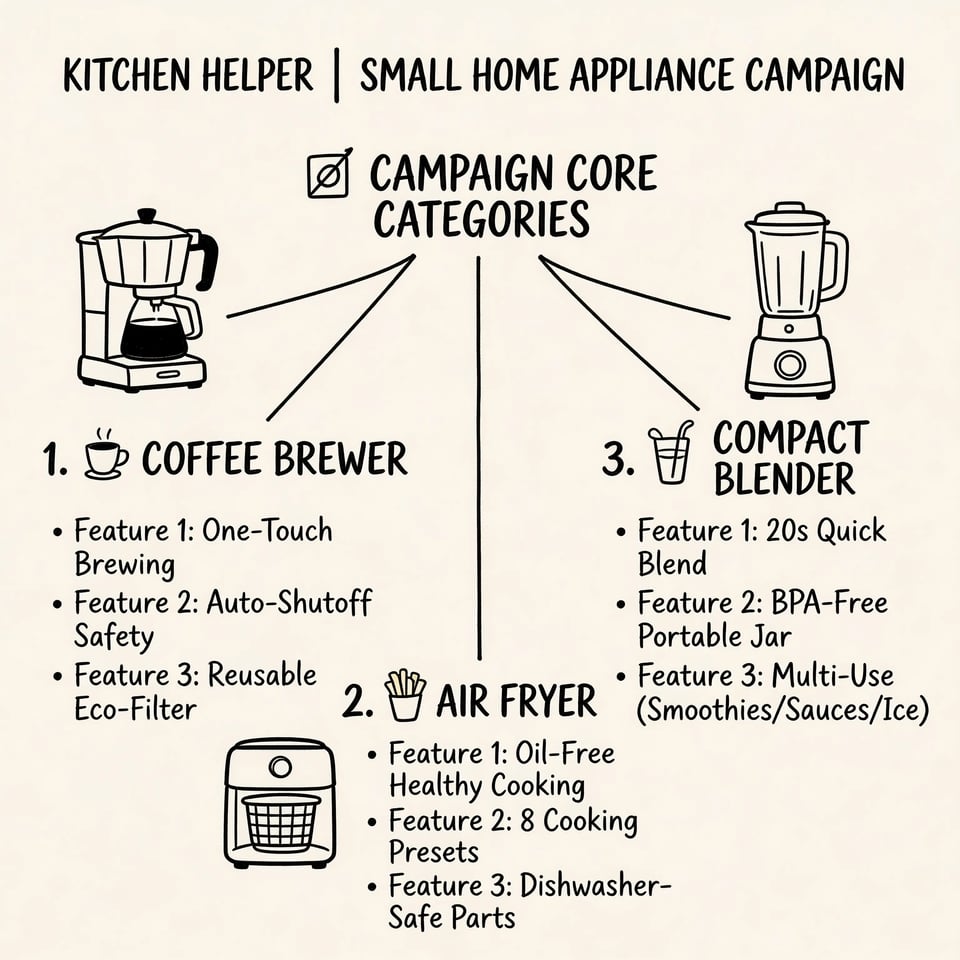
Knowledge-Integrated Diagram Generation with Seedream V5 Lite
Seedream V5 Lite expands its structured world knowledge across scientific, technical, and humanities domains, enabling more accurate information visualization. In educational graphics, ecosystem diagrams, technical labeling, and business infographics, Seedream V5 Lite demonstrates stronger logical consistency and clearer visual hierarchy. Compared to earlier versions, Seedream V5 Lite reduces structural inaccuracies and enhances the reliability of data-driven visual outputs.
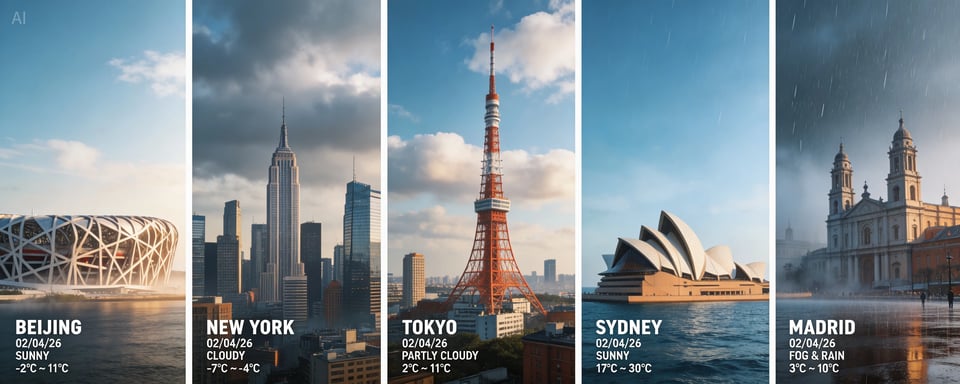
Real-Time Search Enhanced Visual Creation in Seedream 5 Lite
Seedream 5 Lite integrates optional real-time search capabilities to extend beyond static training boundaries. When enabled, Seedream 5 Lite incorporates up-to-date contextual information into image generation, supporting event-based posters, trend-aware visuals, and time-sensitive creative materials. When disabled, Seedream 5 Lite maintains stable and deterministic generation suitable for structured production workflows.
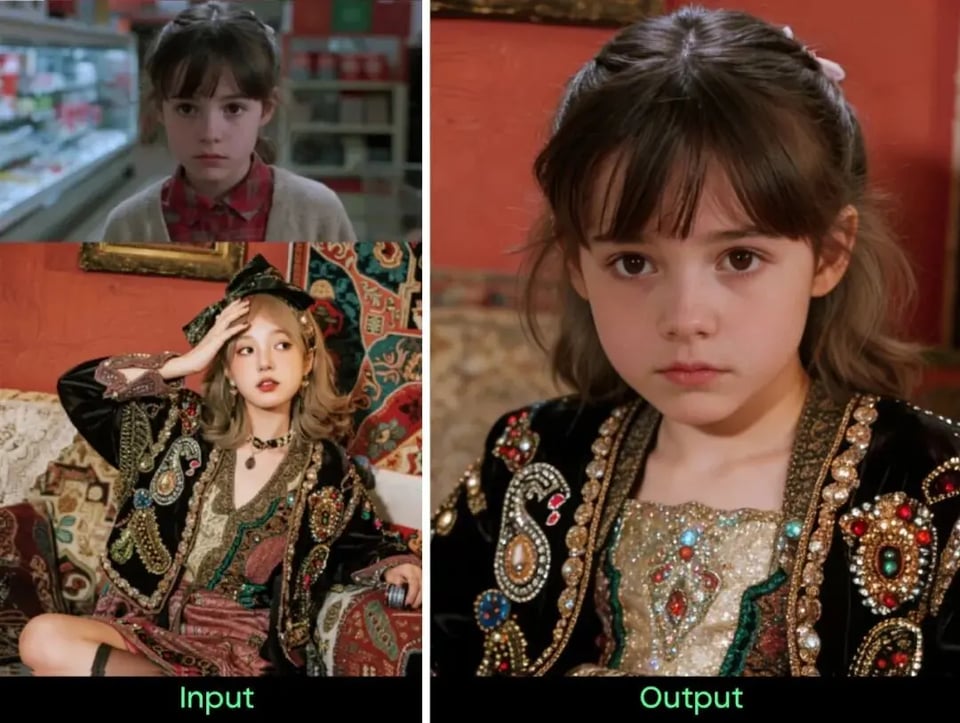
Reference-Guided Style Transfer Using Seedream 5.0 Lite Image to Image
Seedream 5.0 Lite strengthens cross-modal style interpretation within image to image workflows by analyzing tonal systems, lighting logic, and compositional structure from reference inputs. Instead of replicating surface-level textures, Seedream 5.0 Lite reconstructs stylistic essence while preserving scene integrity. This improves aesthetic alignment and reduces prompt complexity in advanced transformation tasks.
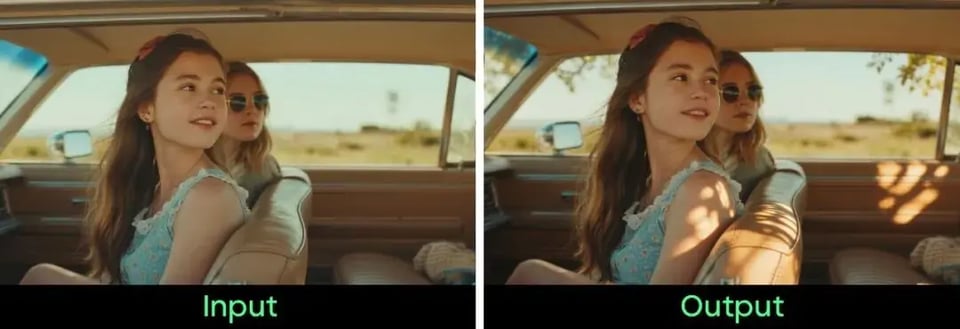
Precision Editing Stability in the Seedream V5 Lite AI Image Editor
Seedream V5 Lite enhances editing controllability by preserving non-edited regions during subject replacement, lighting adjustments, and depth-of-field transformations. The AI image editor capabilities of Seedream V5 Lite minimize artifact propagation and structural drift across iterative modifications. This makes Seedream V5 Lite more suitable for professional image editing workflows that require targeted and stable adjustments.
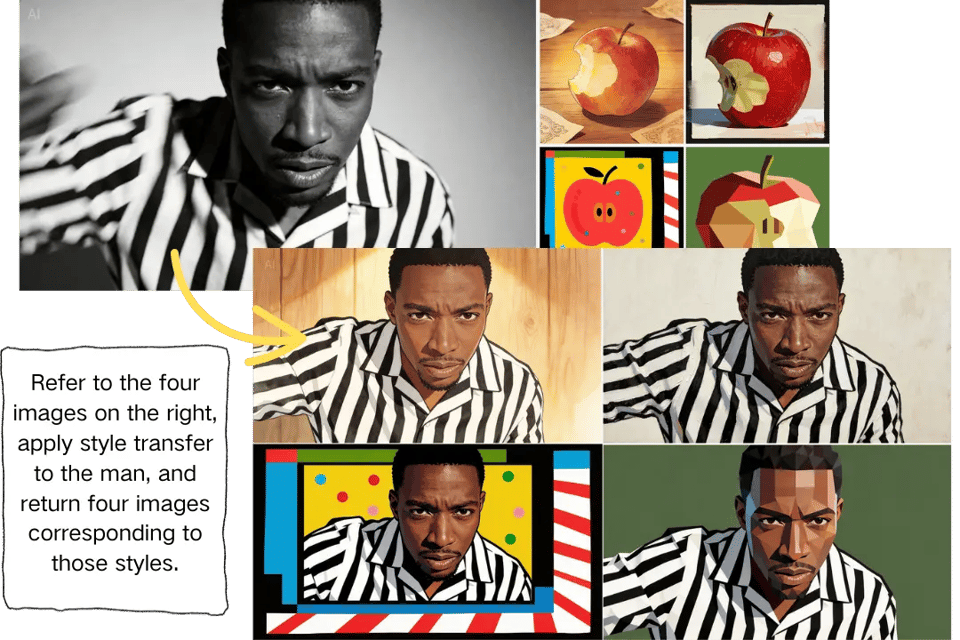
Multi-Subject Attribute Accuracy in Complex Scenes with Seedream 5 Lite
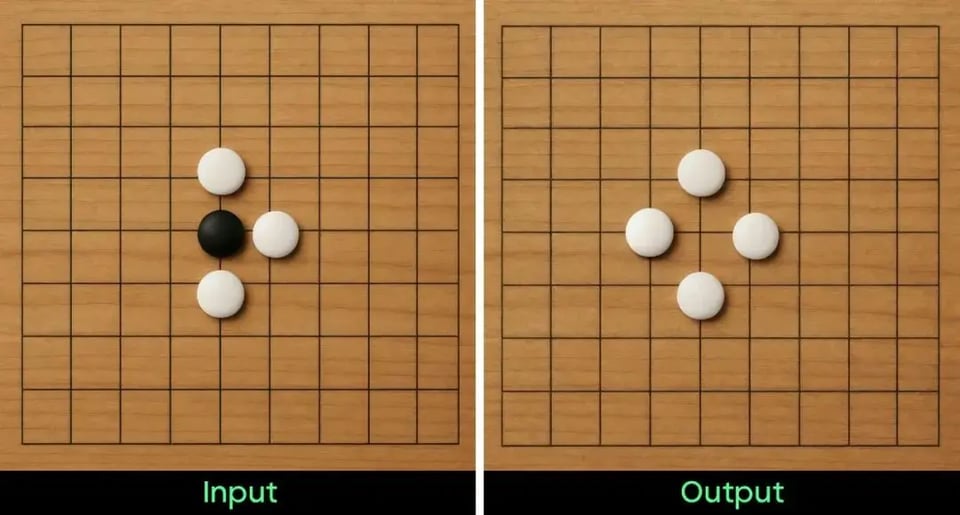
Seedream 5 Lite improves sensitivity to detailed prompt constraints involving spatial grids, object counts, symbolic attributes, and numeric precision. In structured compositions, Seedream 5 Lite maintains stronger adherence to instruction fidelity, accurately rendering letters, time indicators, color constraints, and multi-object arrangements within a single frame. This upgrade enhances consistency compared to earlier iterations.
Performance Benchmark Comparison of Seedream 5.0 Lite and Seedream 4.5
To measure the impact of the architectural and reasoning upgrades, Seedream 5.0 Lite was benchmarked against Seedream 4.5 across structured scoring dimensions. The evaluation framework includes Overall Elo performance, Instruction Response accuracy, Knowledge & Reasoning capability, Learning & Office scenarios, Marketing applications, Portrait Enhancement, View Transformation, Basic Editing, and Consistency. These dimensions reflect real-world productivity and creative workflows rather than isolated visual aesthetics.
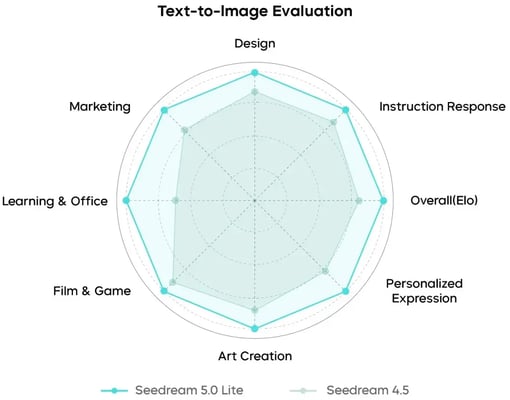
Text-to-Image Benchmark Results Across Creative, Marketing, and Office Dimensions
In text-to-image evaluation, Seedream 5.0 Lite demonstrates broader radar coverage and stronger balance across Design, Instruction Response, Overall (Elo), Marketing, Film & Game, Art Creation, Personalized Expression, and Learning & Office. The most pronounced gains appear in Learning & Office and instruction-sensitive tasks, where reasoning coherence and structured layout interpretation show measurable improvement. Compared with Seedream 4.5, Seedream 5.0 Lite achieves tighter image-text alignment, improved multi-object consistency, and more stable scene construction under complex prompt constraints.
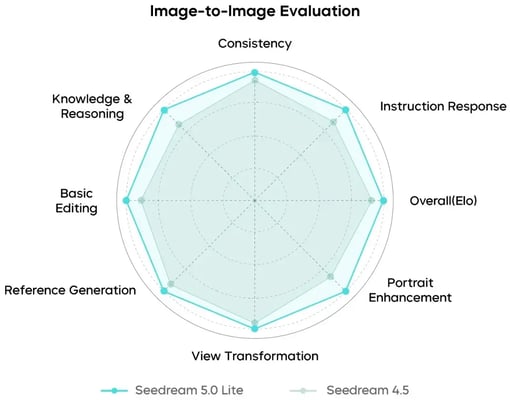
Image-to-Image Benchmark Results Highlighting Editing Stability and Transformation Control
In image-to-image evaluation, Seedream 5.0 Lite shows consistent improvements across Consistency, Instruction Response, Overall (Elo), Portrait Enhancement, View Transformation, Reference Generation, Basic Editing, and Knowledge & Reasoning. Performance gains are particularly visible in transformation stability and localized editing precision. Portrait enhancement preserves facial attributes with higher fidelity, while perspective adjustments maintain structural integrity with reduced artifact propagation. Relative to Seedream 4.5, Seedream 5.0 Lite delivers stronger reliability in iterative editing workflows and more stable non-edited region retention.
How to Access Seedream 5.0 Lite Free Online on Bylo.ai
Seedream 5.0 Lite Free Online is integrated directly into the image generation interface on Bylo.ai, enabling both text-to-image and image-to-image workflows within a single creation environment. The process allows structured prompting, reference-based transformation, and controlled image editing without switching tools.
Step 1: Select Text-to-Image or Image-to-Image Mode
Begin by choosing the appropriate generation mode. Text-to-image mode is designed for structured scene creation and multi-object compositions, while image-to-image mode supports transformation, refinement, and style adaptation based on uploaded references. Selecting the correct mode ensures better alignment between intent and output behavior.
Step 2: Enter a Prompt or Upload a Reference Image
After selecting the mode, enter a clear and structured prompt describing subject, layout, and constraints, or upload a reference image for guided transformation. More precise descriptions improve reasoning alignment, especially in scenarios involving spatial structure, symbolic elements, or attribute-specific details.
Step 3: Generate, Refine, and Download
Initiate generation to create the image with Seedream 5.0 Lite. Adjust prompts or apply targeted edits if refinement is required. Once satisfied with the result, download the final output for use in creative projects, marketing materials, presentations, or productivity scenarios.
Layout Control, Style Variation, and Visual Reasoning with Seedream 5.0 Lite Prompts
The following examples illustrate how Seedream 5.0 Lite prompts can be structured to achieve complex layout control, multi-style consistency, abstract concept translation, and detailed composition management. Each case highlights a different creative scenario where spatial organization, subject stability, and reasoning-driven rendering are essential.
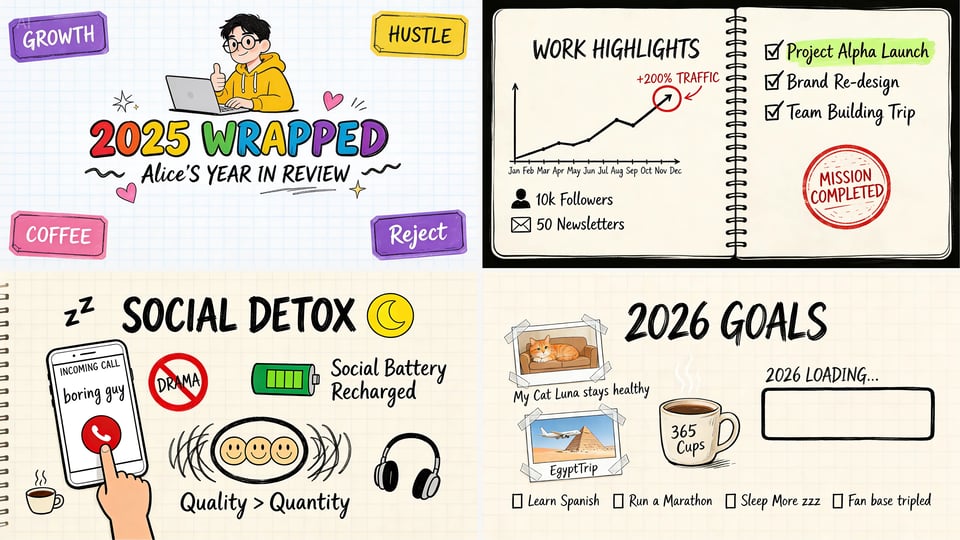
Multi-Slide Hand-Drawn Year Review Layout
You are a 2D illustrator specializing in hand-drawn typography. Please design 4 PPT images. The first image is the cover: the style is “iPad digital hand-drawn,” with a pure white background and a light blue grid. In the center of the image is a huge, chubby, colorful hand-drawn bubble font reading: “2025 WRAPPED.” Below the main title, write the subtitle in black handwritten script: “Alice’s YEAR IN REVIEW.” The second image is a work review. The third image is a relationship review. The fourth image is life and the future.
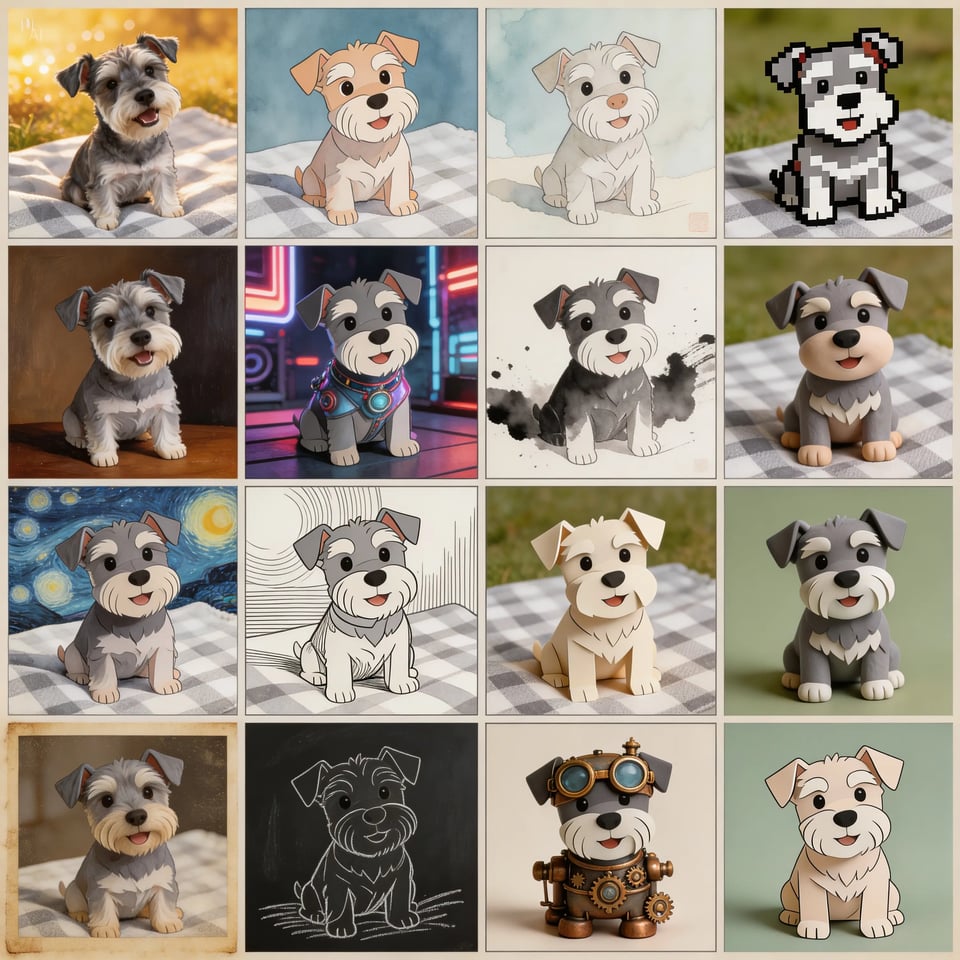
4×4 Multi-Style Subject Consistency Grid
Generate a multi-shot image containing 16 scenes, dividing the frame into a 4×4 grid. In this multi-shot composition, what changes is the style of the puppy, but the subject remains the same dog. Note: return only ONE image.
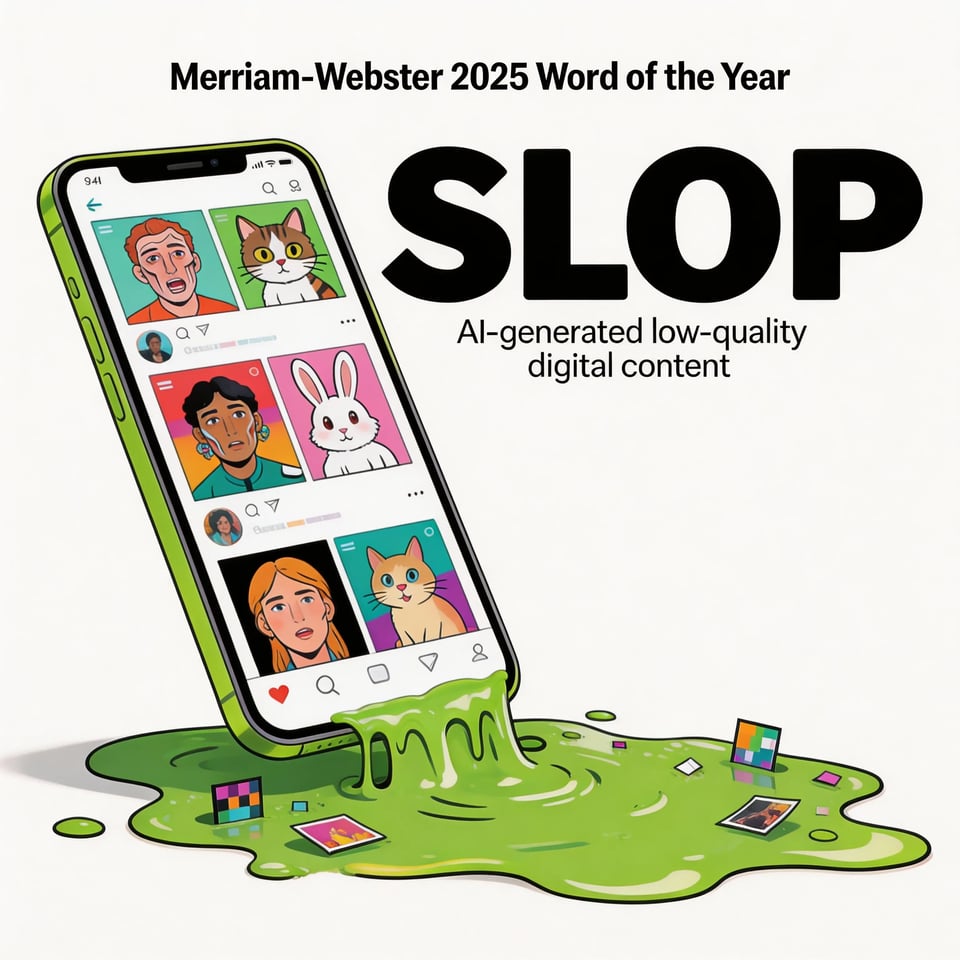
Abstract Word-to-Visual Concept
Based on the Word of the Year for 2025 selected by Merriam-Webster, transform this abstract word into a visual image.
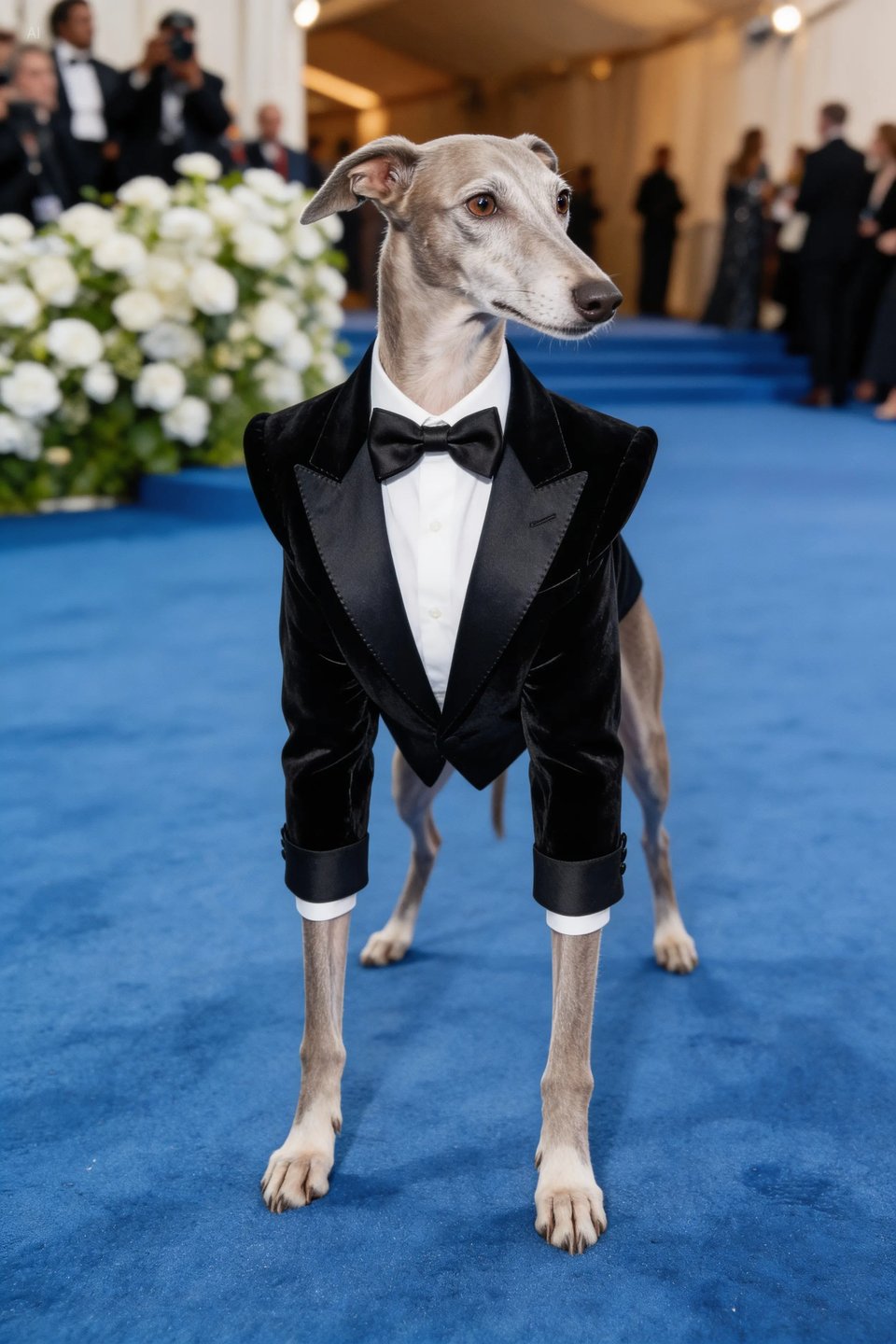
Met Gala Themed Red Carpet Concept
Based on the 2025 Met Gala costume theme, generate a red carpet look that fits the theme description, with a greyhound attending wearing the outfit. Do not anthropomorphize.
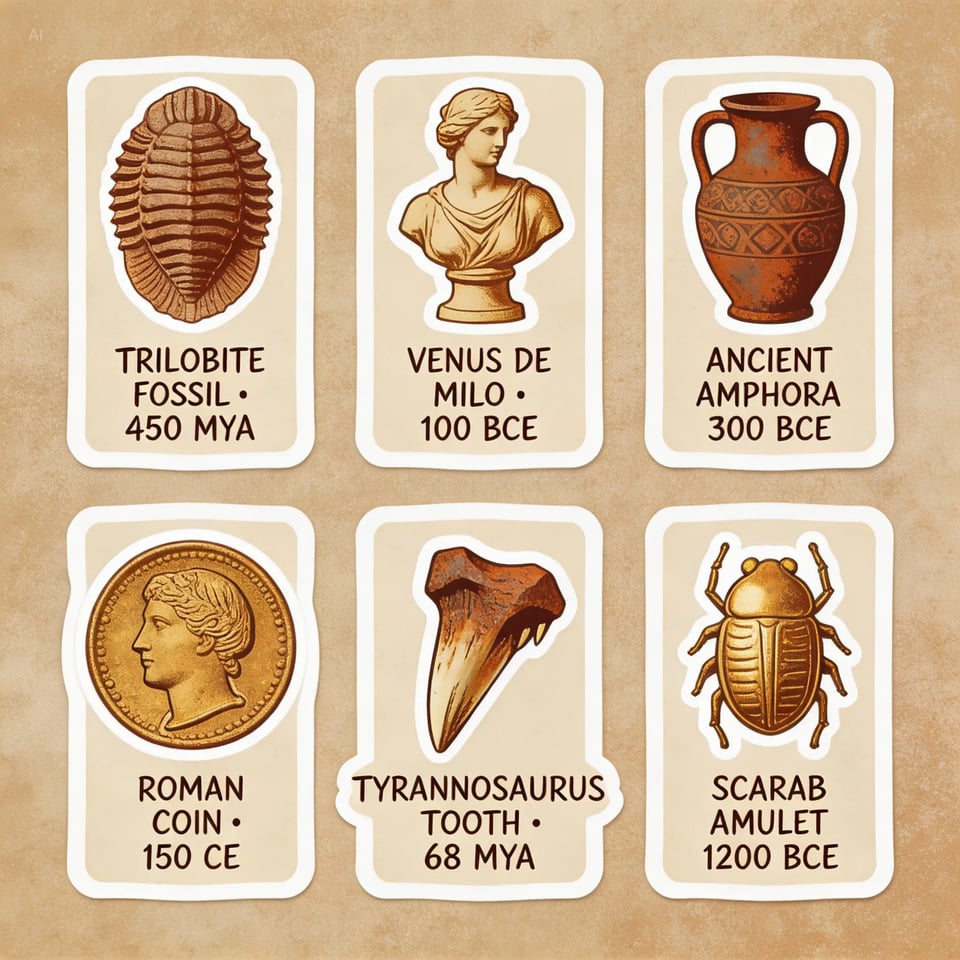
Vintage Museum Artifact Sticker Pack
Vintage museum-themed handbook stickers, featuring ancient artifacts, fossils, sculptures, and other elements, exquisitely captured in retro tones, illuminated by sepia, rust, and aged gold hues, full of cultural atmosphere. These stickers use the eclectic charm of museum artifacts, transforming them into designs suitable for journaling enthusiasts and culture lovers. A retro color palette and nostalgic essence, combined with grainy textures, capture the passage of time, echoing the artifacts depicted. Multi-layered stickers and collage elements surround the composition. Sticker borders feature bright white, dopamine-style aesthetics, high resolution, and a hand-drawn feel.
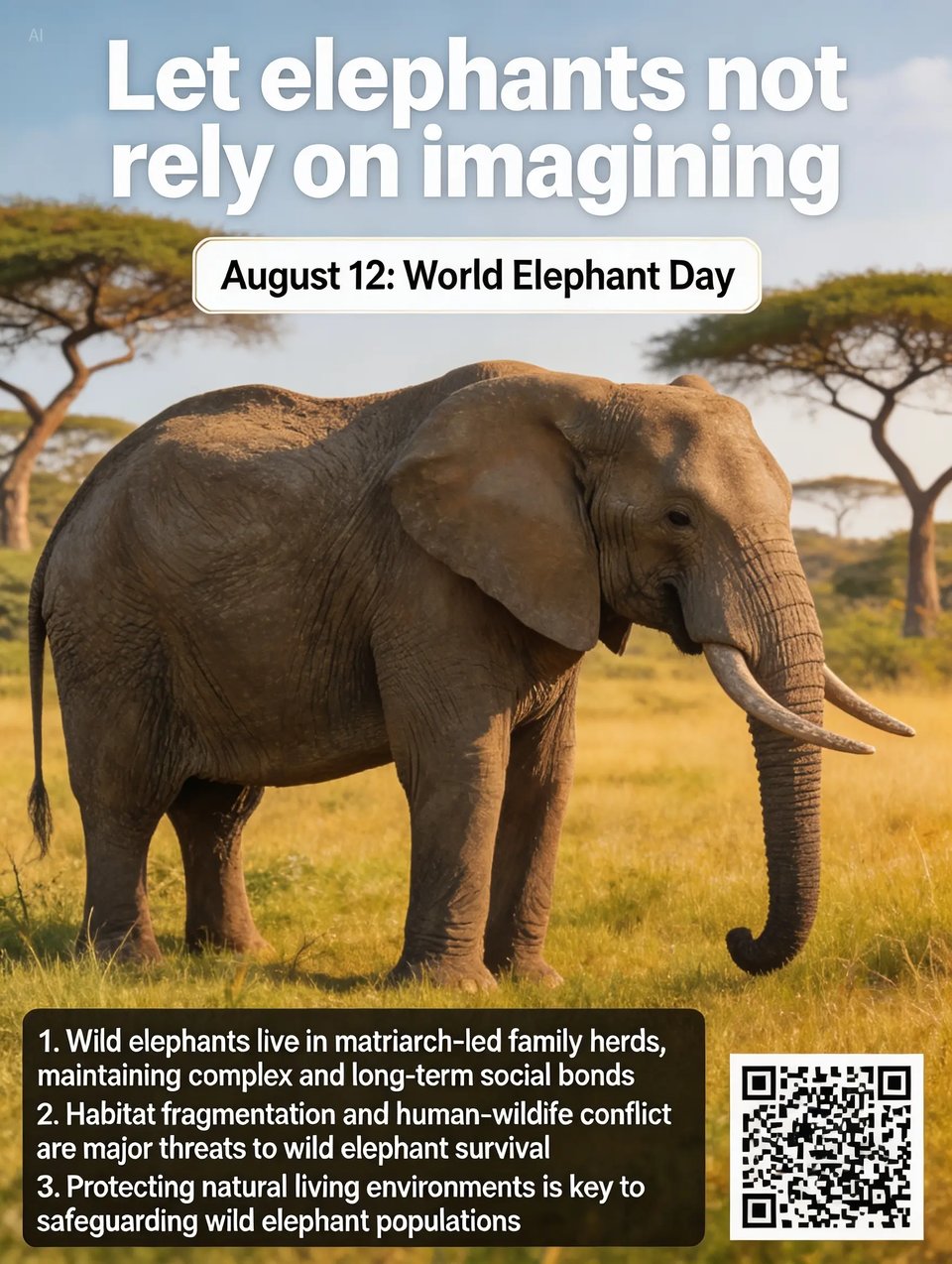
Realistic Wildlife Science Awareness Poster
Realistic photographic science poster. A wild elephant is located in a tropical savanna. At the top is the title: “Let elephants not rely on imagining.” Below the title, inside a framed box, it says: “August 12: World Elephant Day.” In the lower-left corner, within a black semi-transparent box, there are three sections of educational text about wild elephants. In the lower-right corner, there is a QR code.